Chapter 10: Pattern Comparison
Compare efficiency across scanning patterns. This chapter is the “why” behind choosing a pattern.
Different patterns can change selection time by 3–10×. This is often a bigger gain than any timing tweak.
Pattern selection guide
| Grid Size | Recommended Pattern | Why |
|---|---|---|
| 1-10 items | Linear | Simple, fast enough |
| 11-30 items | Row-Column | Good balance of speed and complexity |
| 31-100 items | Row-Column or Elimination | Depends on user ability |
| 100+ items | Elimination | Only viable option for large grids |
Other Patterns Worth Knowing
- Snake scan: similar to linear but reverses direction at row ends.
- Quadrant scan: pick a quadrant, then scan inside it.
- Mixed scans: combine grouping and row/column within subgroups.
Scan Direction Options
- Forward only: standard left-to-right, top-to-bottom.
- Reverse: right-to-left or bottom-to-top for specific layouts.
- Oscillating: scan back and forth to reduce long return jumps.
Visual References
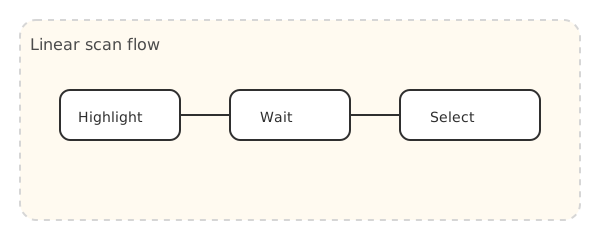
Figure 11. Linear scanning cycle (highlight → wait → select).
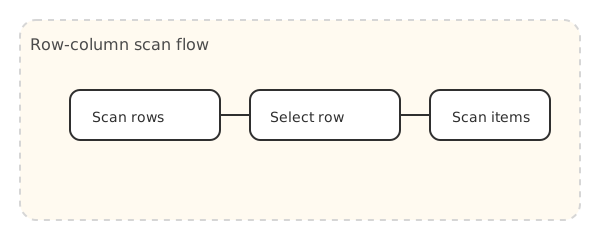
Figure 12. Row selection then item selection.
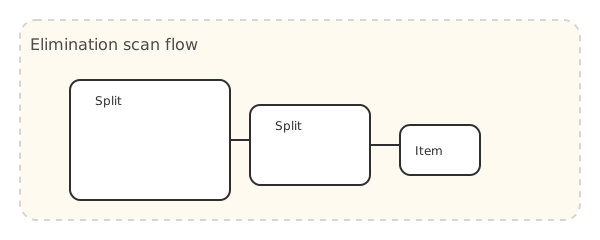
Figure 13. Quadrant elimination (4-switch).
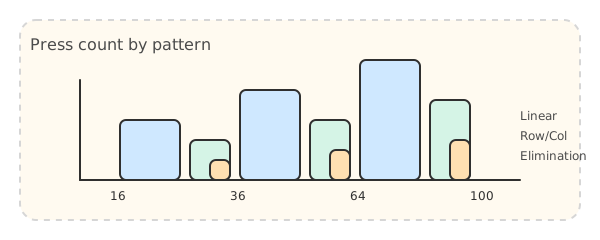
Figure 14. Press count comparison across grid sizes and patterns.
Interactive Comparison
🎮 Challenge: time yourself selecting the same item in each pattern below.
Linear (16 items)
Max: 16 presses | Avg: 8 presses
Row-Column (16 items)
Max: 8 presses | Avg: 5 presses
Elimination (16 items)
Max: 3 presses | Avg: 3 presses
Large Grid Comparison (64 items)
🎮 Compare how long it takes to reach a high number in each pattern.
Linear
Max: 64 presses | Avg: 32 presses
Row-Column
Max: 16 presses | Avg: 9 presses
Elimination
Max: 3 presses | Avg: 3 presses
For large grids, elimination scanning delivers the biggest gains. The difference is often 10× or more.